Download via Browser
This guide covers how to download data directly from the XNAT web interface using your browser.
Overview
The XNAT web interface provides a user-friendly way to browse and download data without requiring any programming knowledge. This method is ideal for:
Small-scale data downloads
Exploring data before bulk downloads
One-off data retrieval tasks
Users who prefer graphical interfaces
Getting Started
Accessing the Web Interface
Navigating to Your Data
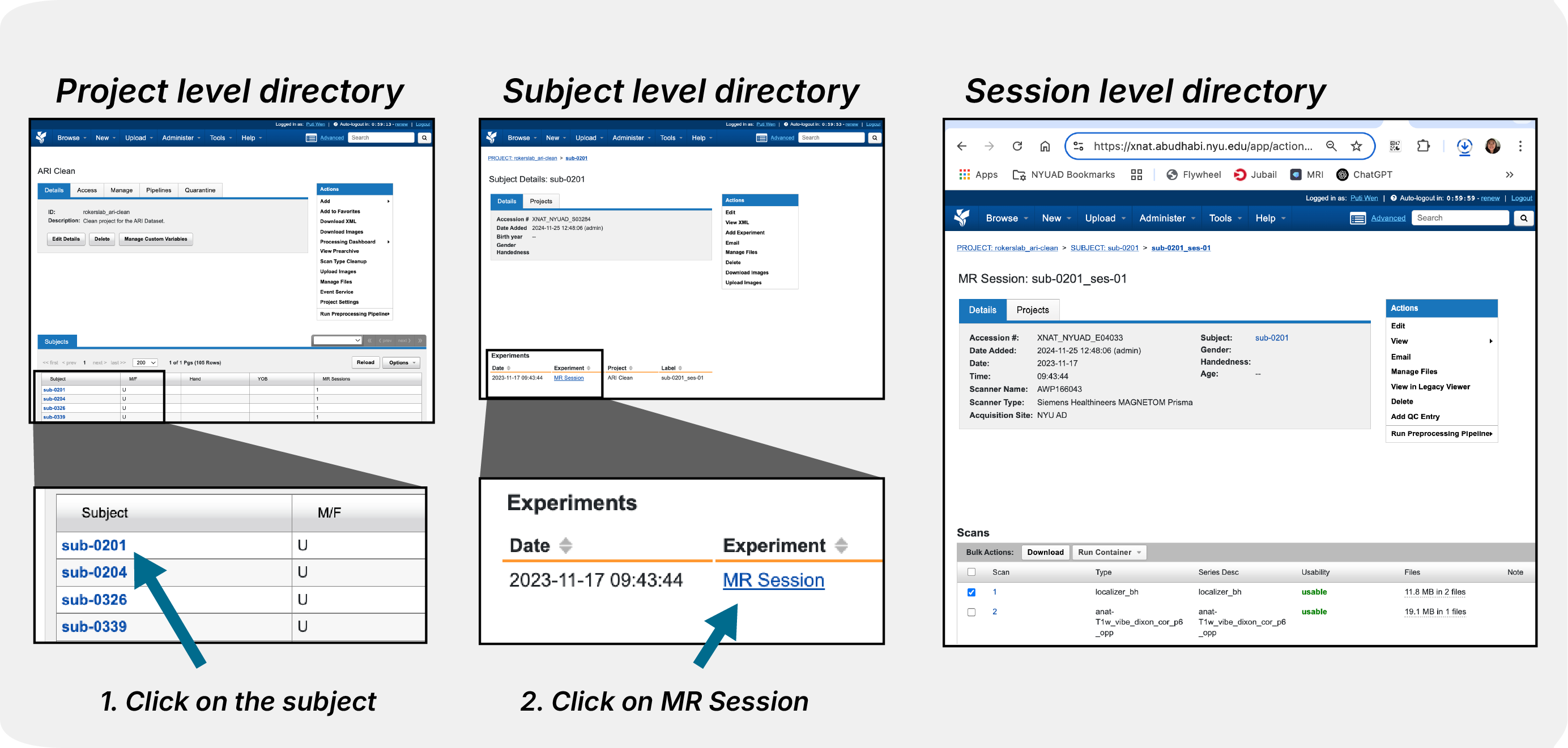
Navigate through the XNAT interface to find your project and browse available subjects and sessions.
Single File Download
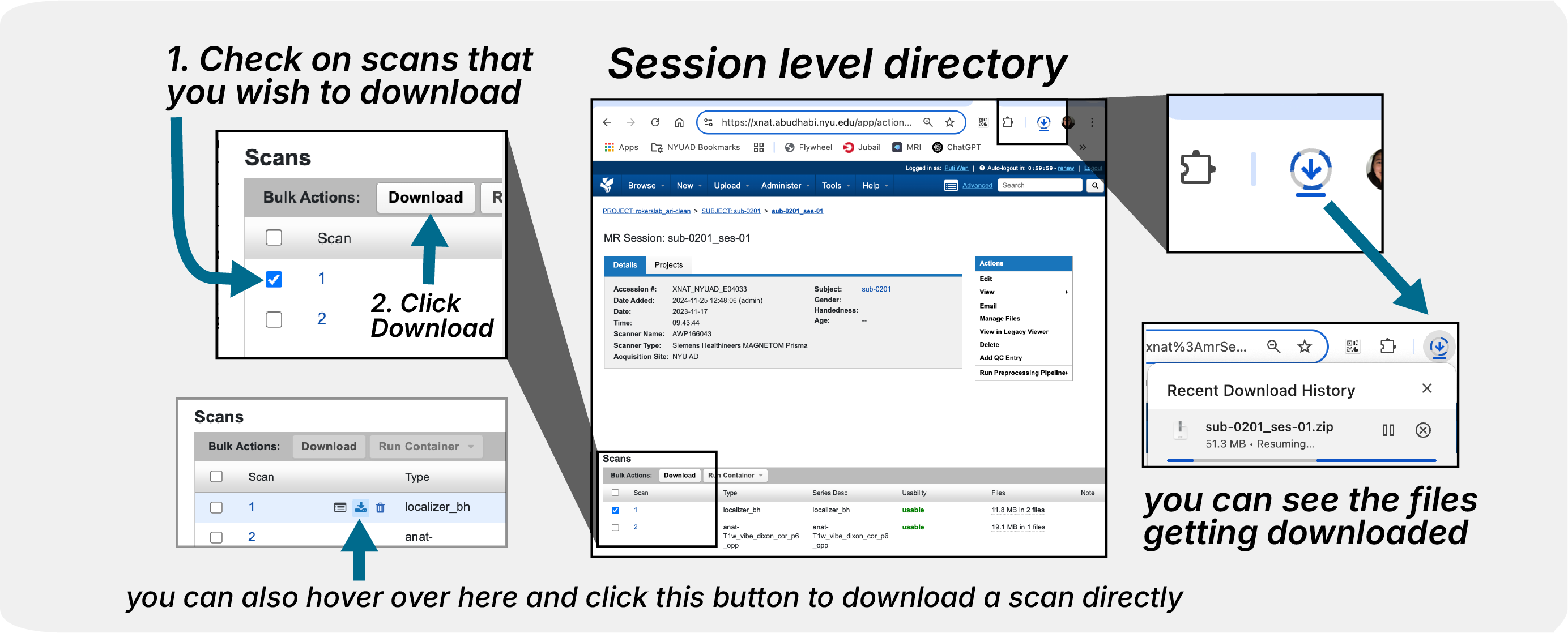
Click on individual files to download them one at a time directly through the browser.
Session Download

Use the session-level download options to get all scans from a single imaging session.
Bulk Download
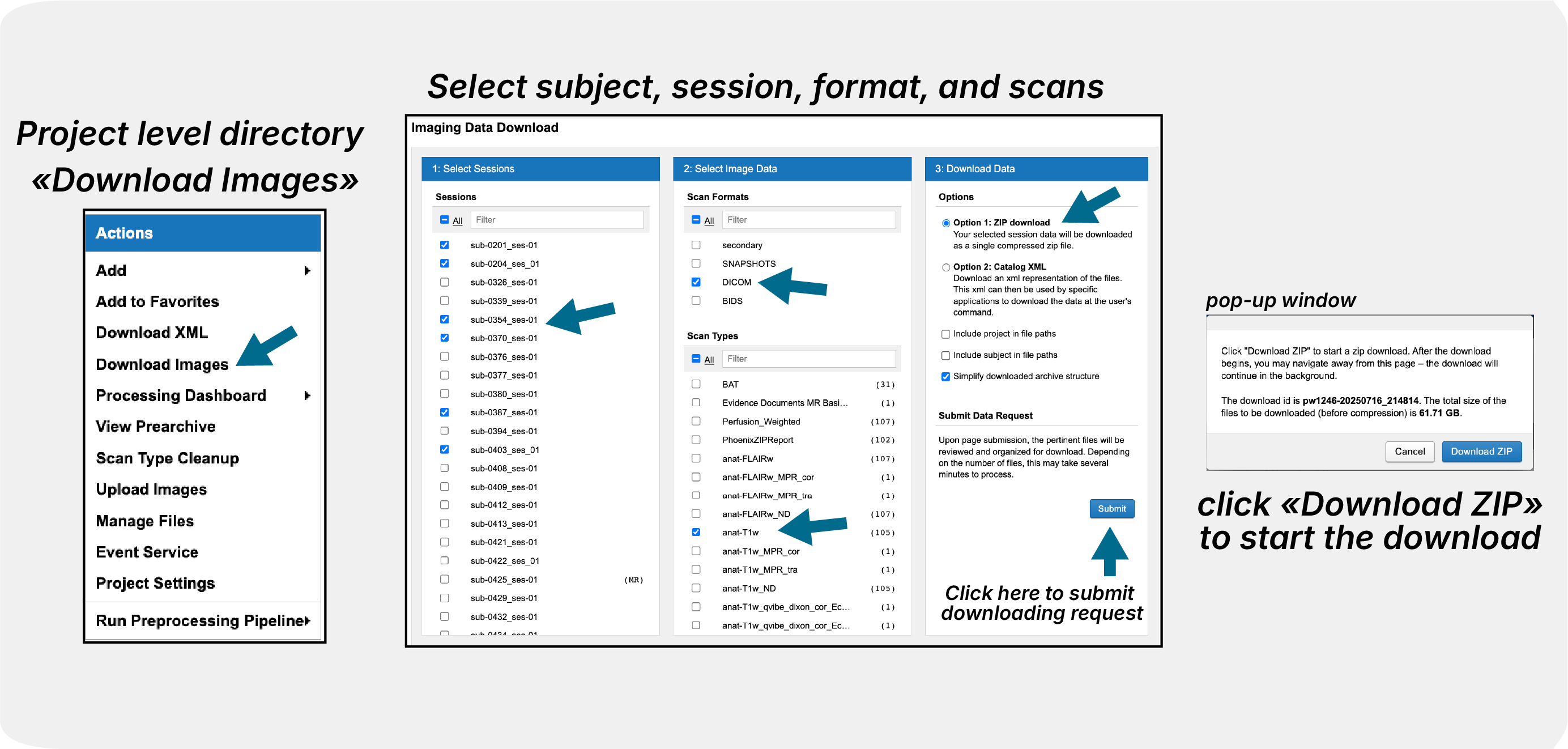
Access bulk download features to download multiple sessions or entire projects at once.
Troubleshooting
Common Issues
Large file timeout issues (this has been patched)
Browser compatibility problems (needs to be tested)
Network interruption (make sure you have a stable internet connection)
See Also
XNAT API with Python - For programmatic downloads
Download via Desktop Client - For desktop application downloads
Transferring Data Between Projects - For transferring data between projects
XNAT Navigation Basics - For general XNAT navigation